Small businesses
Organizations managing a practical register of measuring and test equipment.
 ToolsForQuality.View on Etsy ↗
Your calibration records. One clear workspace.
Track measuring and test equipment, calibration intervals, due dates, history, out-of-tolerance events and PDF certificates from one professional offline portal.
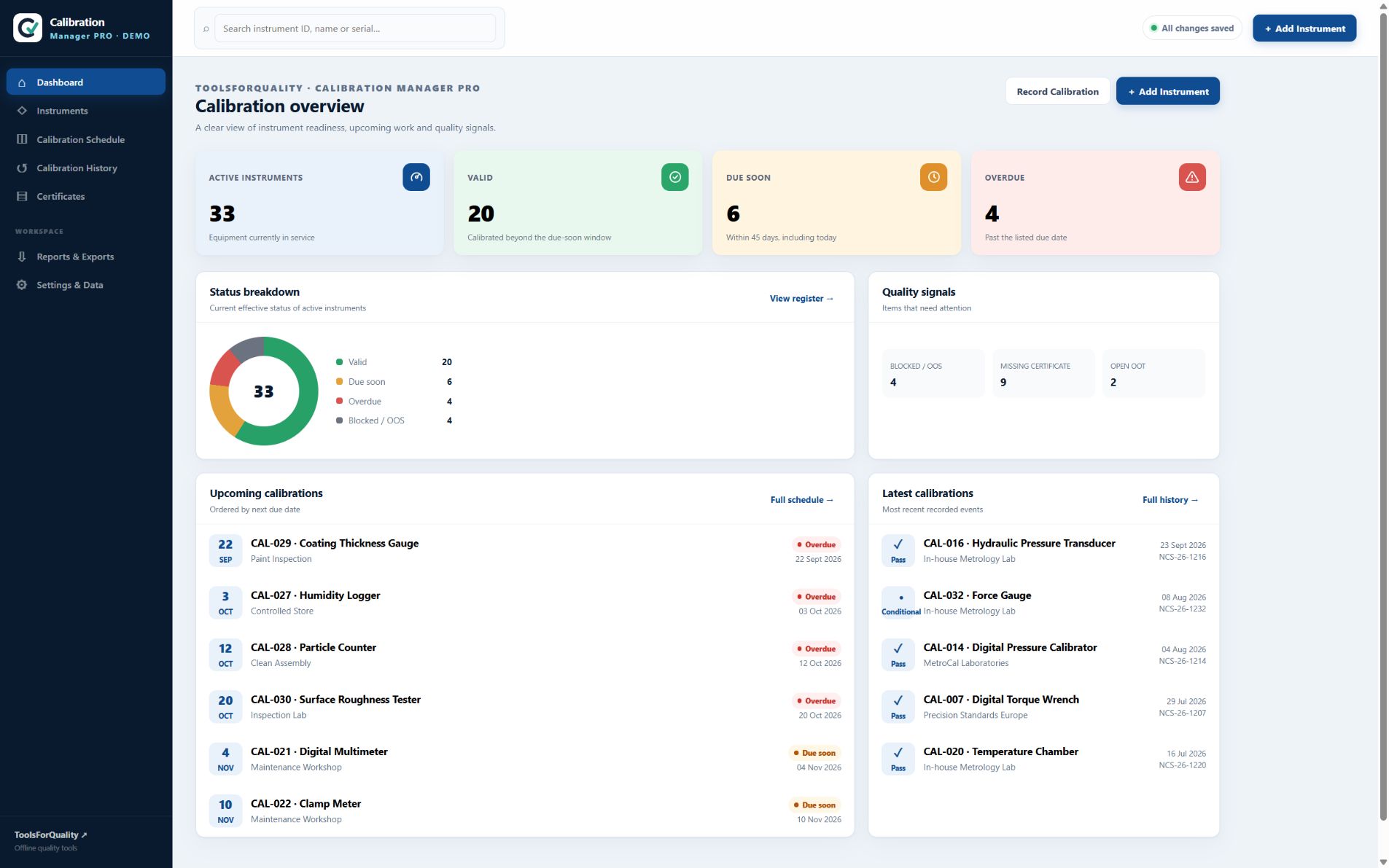
Calibration Manager PRO is a private, offline calibration management workspace for measuring and test equipment. It combines your instrument register, due-date planning, calibration history, out-of-tolerance records, certificate files and reports in one locally managed Windows application—without an account, cloud platform or recurring fee.
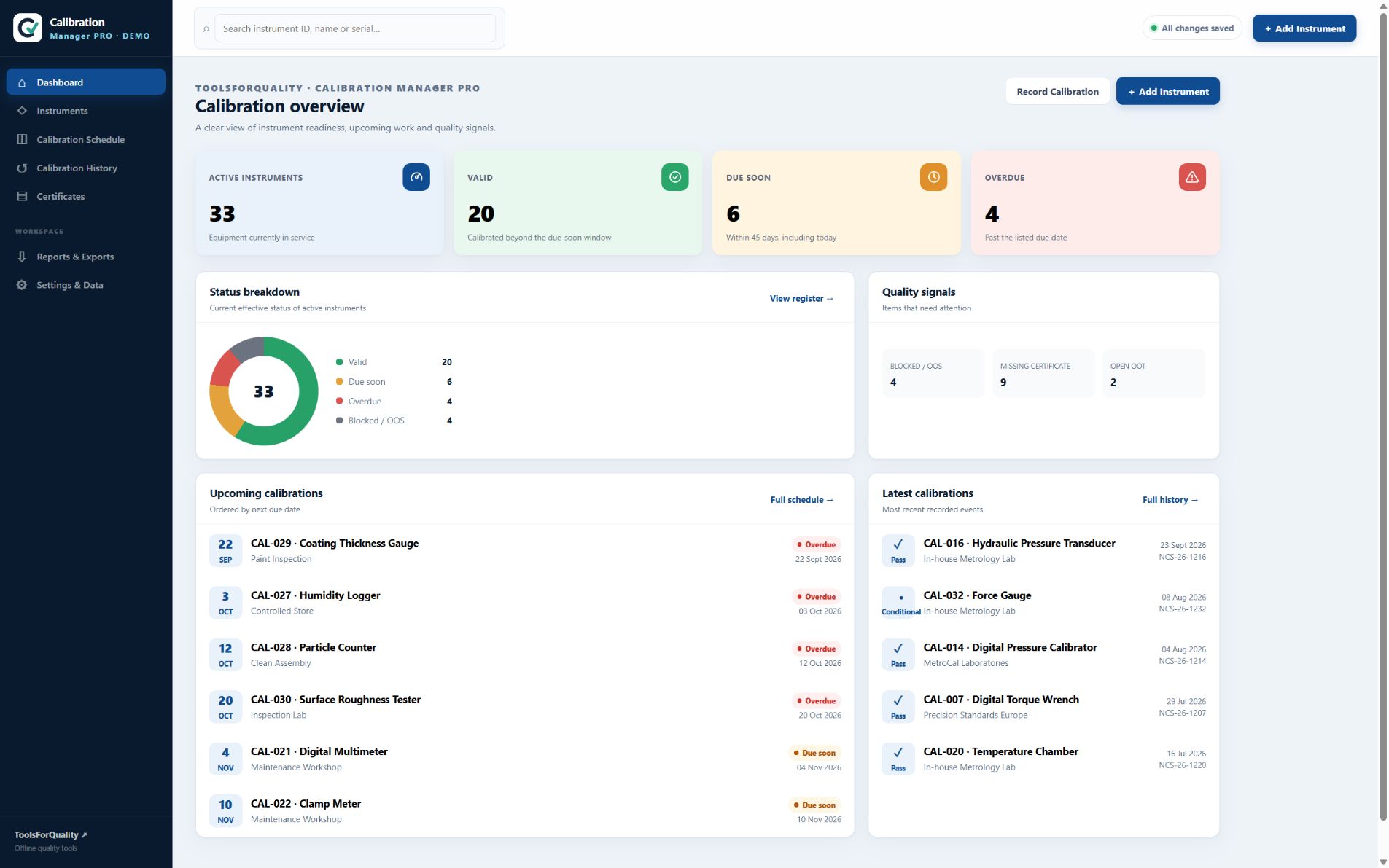
Calibration Manager PRO brings instrument details, upcoming work and supporting records together. The dashboard helps you see what is valid, due soon or overdue, then move straight to the record that needs attention.
A focused workspace for teams and professionals who need dependable calibration records without the cost and administration of a cloud platform.
Organizations managing a practical register of measuring and test equipment.
Professionals who need visibility of due dates, status and supporting evidence.
Teams coordinating instrument ownership, location and calibration follow-up.
Organizations that prefer local records over accounts and cloud subscriptions.
Focused features cover the records, planning and evidence needed to keep calibration work visible.
See active instruments, valid status, upcoming work, overdue items and key quality signals.
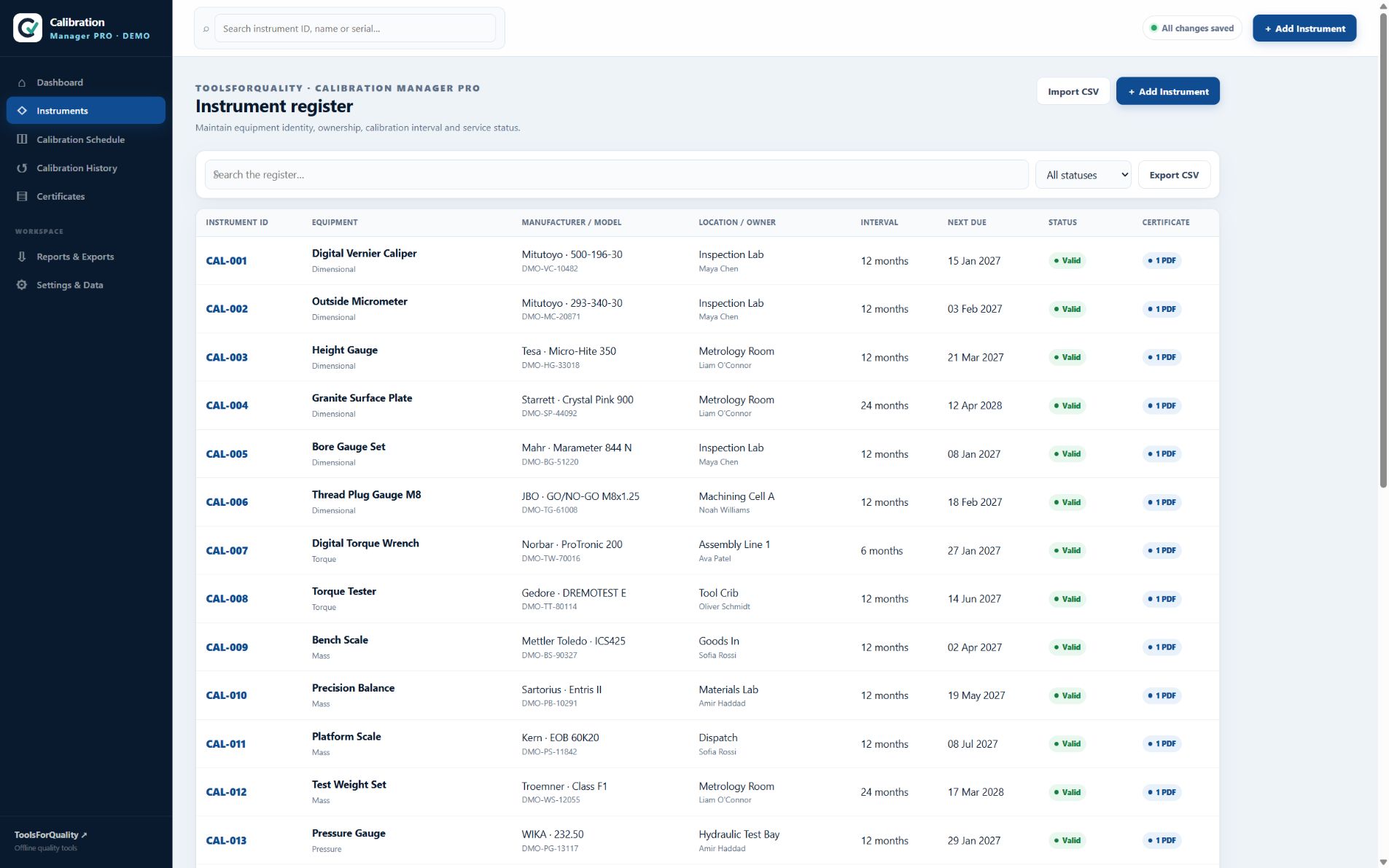
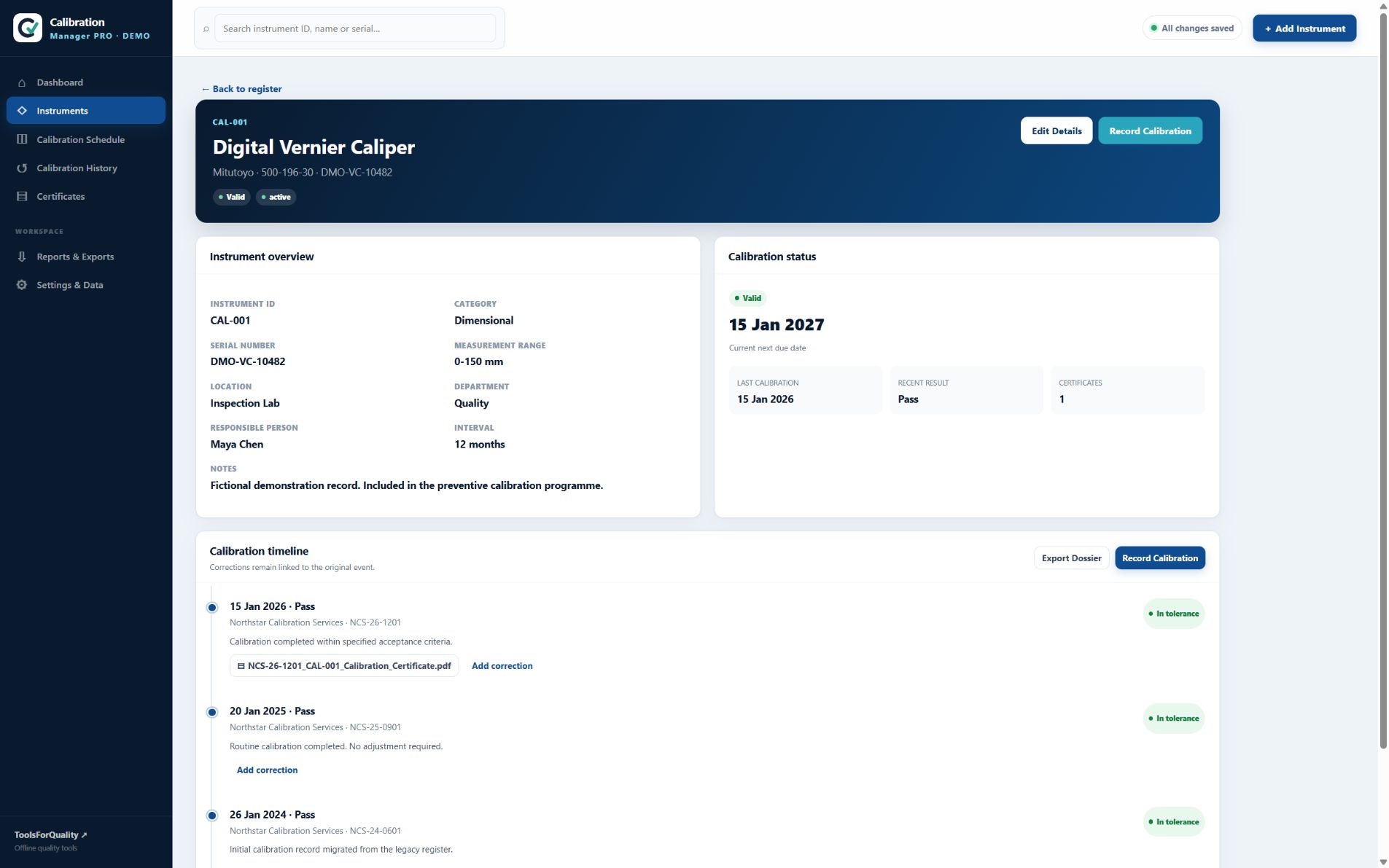
Maintain equipment identity, category, manufacturer, model, serial number, location and owner.
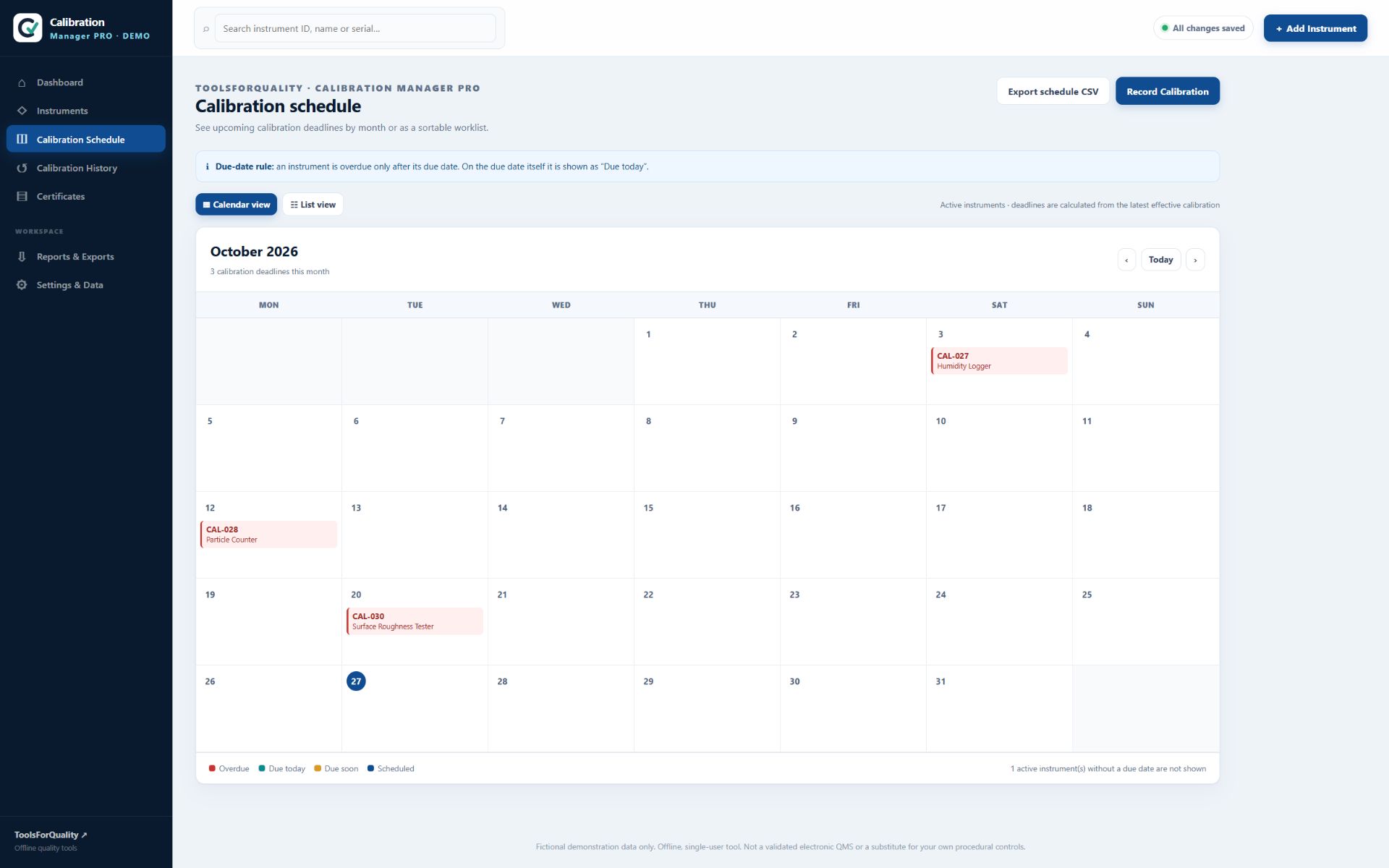
Plan work using calibration intervals, effective due dates and clear calendar or list views.
Record completed calibrations, results, providers, certificate numbers and next due dates.
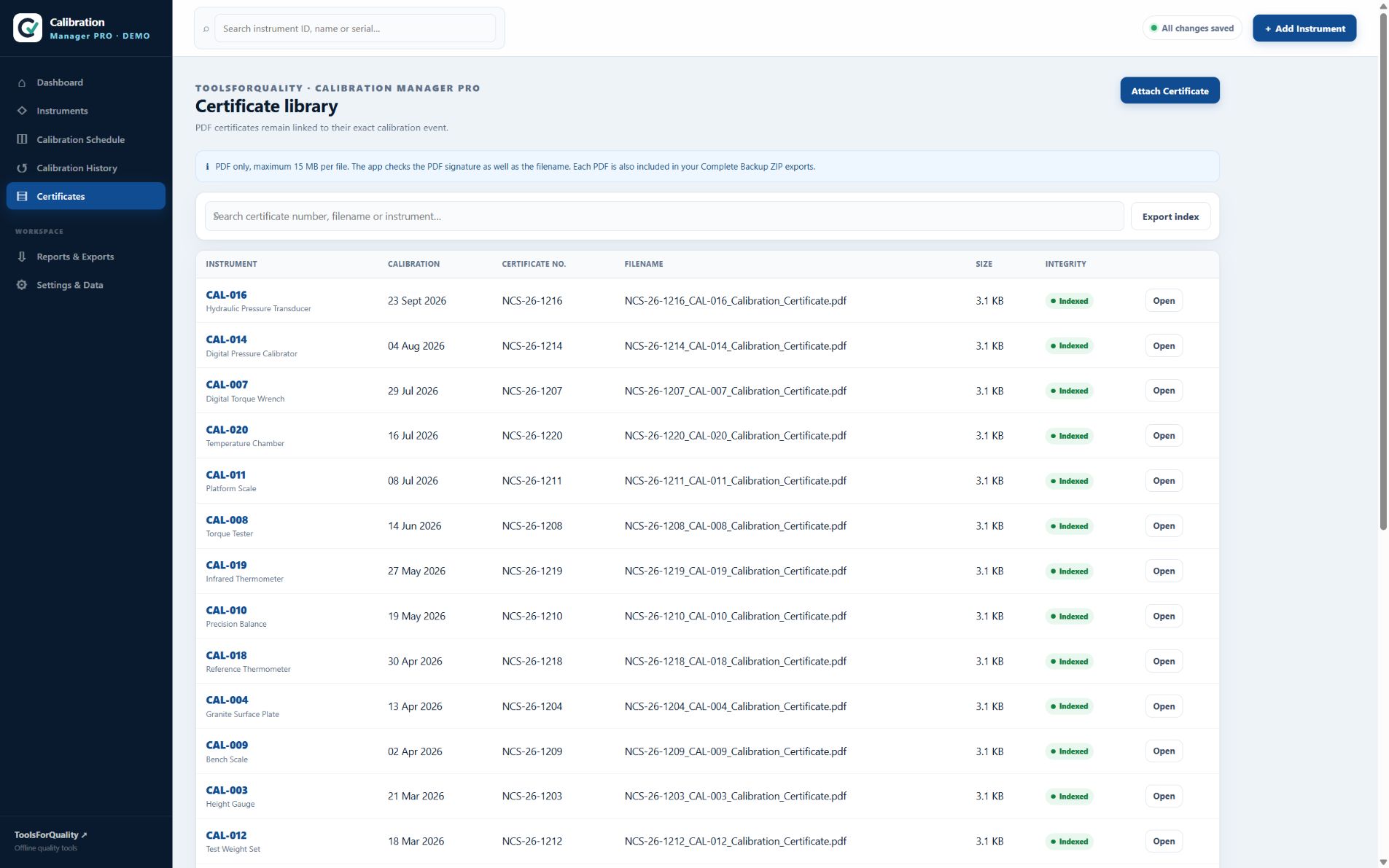
Attach PDF certificates and keep them indexed against the related instrument and event.
Keep abnormal results visible and preserve the context needed for your own follow-up process.
Export registers and history, print summaries, or create a portable instrument dossier.
Create a complete ZIP backup of data and certificates, then validate it when restoring.
Receive the digital ZIP package through Etsy.
Unzip the complete package on your Windows computer.
Start the included Calibration Manager launcher.
Add your instruments, intervals and calibration records.
Calibration Manager PRO is an offline, single-user record-keeping tool. It is not a validated electronic QMS and does not replace your own procedures, access controls, backups or review responsibilities.
Everything important, together in one place for easy comparison.
ToolsForQuality is developed from hands-on Quality Assurance experience and the day-to-day reality of keeping equipment status, evidence and follow-up under control.
The aim is straightforward: turn recurring quality work into clear, usable tools for small businesses, quality professionals and technical teams—without unnecessary complexity or recurring platform fees.
Practical answers about setup, use and product scope.
Yes. After download and setup, the application runs locally on a Windows computer. No cloud account or internet connection is needed for normal use.
The register covers equipment identity and master data such as ID, name, category, manufacturer, model, serial number, location, department, owner, calibration interval and service status.
Yes. PDF certificates can be attached to calibration events and are stored with the local data structure. The certificate index keeps them connected to the relevant instrument and calibration record.
The workspace calculates effective due dates from your instrument and calibration records and presents equipment as valid, due soon or overdue. You can configure the due-soon window.
Yes. You can import instrument master data from CSV and export registers, calibration history and other useful overviews. An instrument dossier combines the instrument summary, history and available certificates.
The application can create a complete ZIP backup containing your data and certificate files. The restore flow validates the backup before offering merge or replace options. Regular off-device backups remain your responsibility.
No. Calibration Manager PRO is designed as an offline, single-user record-keeping tool. Teams that require simultaneous users, centralized permissions or validated electronic workflows should evaluate whether a different system is appropriate.
No. The tool helps organize records and follow-up. Your organization remains responsible for its procedures, calibration decisions, review, data protection, backups and any applicable quality or regulatory requirements.
One purchase. One workspace. Your calibration records under your control.
View Calibration Manager PRO on Etsy ↗